Audiomap
Spatial drum machine
Role
Lead Designer
Team
Musicians
Music Producers
Music Technologists
Industrial Designers
Responsibilities
Design Research
User Workflow Mapping
Interaction Design
Industrial Design
Usability Testing
Prototyping
Tools
Illustrator
Photoshop
InDesign
Figma
Solidworks
Arduino
Outcome
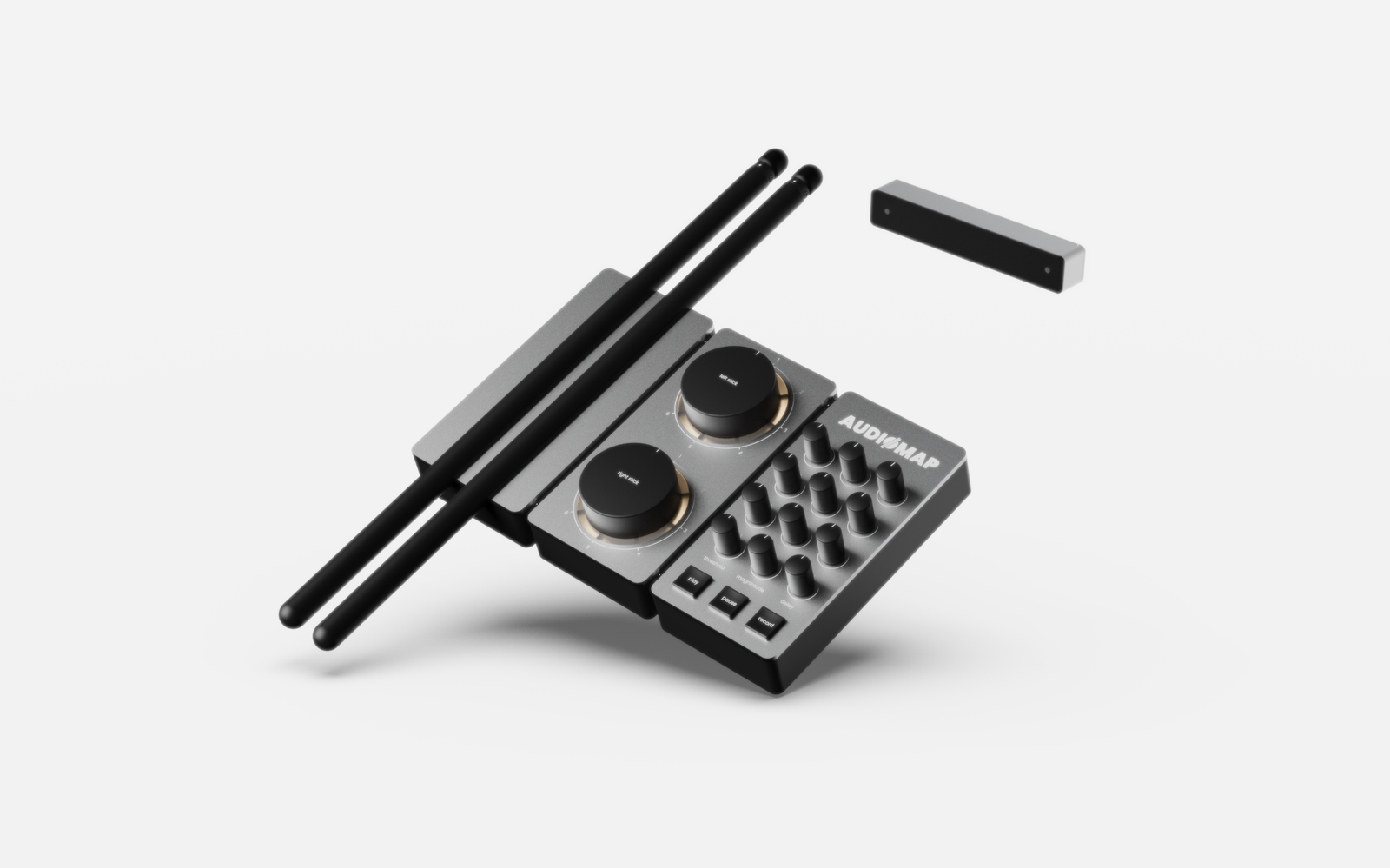
A research-led spatial MIDI controller concept that maps the space around you to a fully programmable drum kit, designed for home studio drummers through iterative user research and interaction design.
Background
Audiomap was my final year project at BSc Product Design, a degree built on user-centred methodology where research rigour, design rationale, and iterative validation weren’t optional extras but the criteria against which your work was judged. I graduated with a first.
I’m including it here not because it’s my most recent work, but because it shows how I’ve approached design problems from the start: beginning with people, letting research redirect the brief, and making decisions I could defend.
”The output happened to be a physical product. The process was UX.
Personal reflection
The problem
I’d played saxophone since I was eight, gigged with bands through my late teens, and before university spent two years working as a stage manager on West End and off West End productions after training with the National Youth Theatre. Music and live performance were the context I’d grown up inside. Then during the COVID-19 pandemic I found it difficult to practice and play music while living in a small shared space. I missed the freedom of rehearsal studios, and it felt like my creativity was being boxed in. At the same time I was watching more and more people start recording and producing music from their bedrooms, turning limited spaces into functioning home studios. It was inspiring, but it also highlighted a recurring tension: the gap between wanting to make music and the reality of small living environments.
That tension became the starting point for Audiomap. The initial brief was broad: develop a product that enables greater engagement with music practice by addressing the barriers that prevent people from playing. Rather than designing to that brief from assumption, I wanted to understand which barriers actually mattered most, and to whom.

Research
Designing the Survey
To understand the problem properly I designed a survey targeting active musicians, distributed across music communities on Facebook, Reddit, and Songstuff, as well as through SurveyCircle to reach non-English speaking respondents and broaden the dataset. The goal was to identify which barriers were most commonly reported, how they correlated with factors like instrument type and age, and whether there was genuine appetite for a product that addressed them.
- What is your gender?
- What is your age?
- Which best describes your employment status?
- Do you play a musical instrument?
- Which instrument do you play?
- Why do you not currently play an instrument?
- How often do you practice or play?
- Does anything prevent you from practicing?
- If that factor was resolved, would you play more?
- How much would you spend on a music practice product?
What the data said
Results were filtered and cross-referenced in Microsoft Access, allowing me to look for patterns across different user groups rather than treating responses as a flat dataset.
Four barriers came up most frequently across all respondents.
The more significant finding was in how the data broke down by instrument. Drummers reported the highest concentration of overlapping problems, with 90% citing noise and size as the primary factors limiting their practice. No other instrument group came close.
Going Deeper: Industry Expert Interview
To pressure-test the data I recruited Tim Patten, a drummer, multi-instrumentalist, and music producer with experience across both home and professional studio environments, as an industry expert and target user. His perspective throughout the project became a consistent check on whether design decisions held up against real-world use.
In that first interview Tim was direct about where existing solutions fell short: electronic drum kits were too large and time-consuming to set up, drum machines lacked the velocity sensitivity that gives drumming its feel, and programming drums in a DAW produced timing so precise it sounded robotic. What was missing was a compact MIDI controller that could accurately capture both timing and velocity in a way that felt natural to play.
”Part of the soul of music comes from the tiny imperfections that make the music sound more human. Programming drums makes the timing so precise that the music sounds robotic. I'm yet to find a MIDI product that is compact and emulates these things well.
Tim PattenMusic producer
Where This Left Me
That gave me a clear direction and a refined brief to design against.
Define
The User
The survey data and Tim’s profile as a target user painted a consistent picture. The core audience was a drummer aged 25-40, living in an apartment, working professionally but pursuing music seriously in their spare time. They had an existing home studio setup, were familiar with MIDI and DAW software, and were actively looking to upgrade or expand their equipment. The same wall of noise, space, and setup friction kept getting in the way.
The broader audience extended outward from there: music producers looking for a faster way to record drum tracks, and musicians interested in drumming who were put off by the cost and footprint of a conventional kit.
Core requirements
From the research, four non-negotiables shaped everything that followed.
Measuring success
These requirements were formalised into a product design specification covering performance, dimensions, ergonomics, materials, cost, and serviceability. Every design decision made throughout the project was evaluated against it.
Concept & Interaction model
The core concept
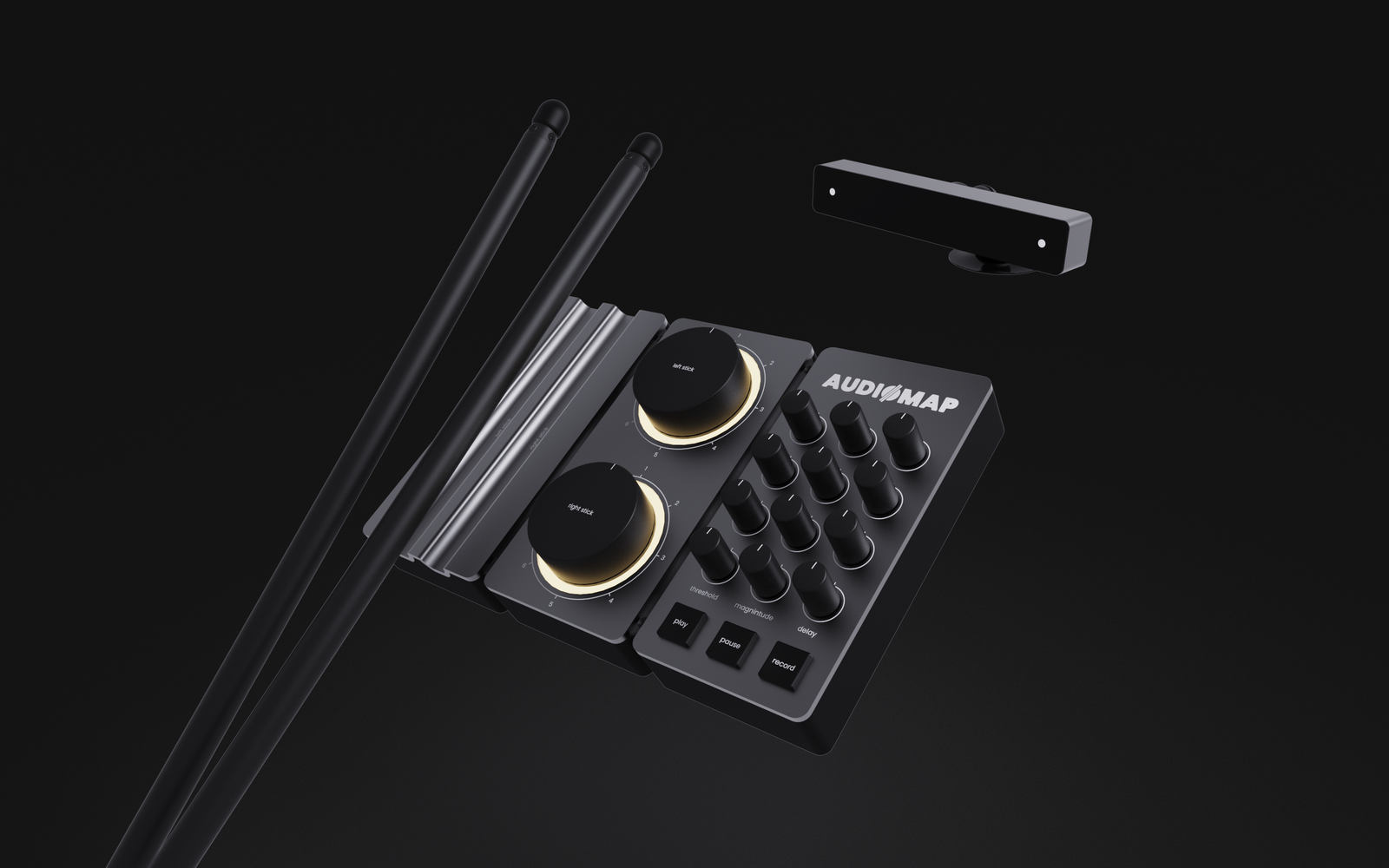
The central idea behind Audiomap is simple: instead of pressing buttons or hitting pads to trigger drum sounds, the space around you becomes the instrument. You assign kit pieces to locations in 3D space, and hitting the stick in that location generates the corresponding sound. No buttons, no menus, no switching modes mid-performance.
Getting there required solving two distinct problems: how to detect a hit with enough accuracy to capture velocity and timing, and how to track where in space the stick is when that hit occurs.

Hit detection
The sticks use an inertial measurement unit — an IMU — to sense movement. By calculating the magnitude of acceleration across all three axes at once, the system can detect a deliberate strike regardless of the stick’s orientation. This approach captures both the timing of the hit and its velocity, which maps directly to how loud the resulting sound is. It was the key to preserving the natural cadence of drumming that existing solutions consistently missed.
Spatial tracking
Tracking position in 3D space is harder. An IMU alone drifts over time which is a known limitation that affects everything from drones to VR controllers. The solution used in both those contexts is a fixed reference frame: a secondary sensor that the IMU data can be corrected against.
Audiomap uses the same approach as VR: an infrared sensor bar placed anywhere in the space picks up IR LEDs in the sticks, providing positional correction with a resolution down to 0.5mm. The result is a coordinate system the user can assign kit pieces to, persistent across a session.
The interaction model
Mapping a kit piece to a location in space follows a deliberate but minimal flow. The user turns the central dial to select a MIDI channel, presses it to enter mapping mode — the light ring turns blue to confirm the system is ready — moves the stick to the desired location, and presses again to save it. From that point, playing in that location triggers the assigned sound.
If the sensor loses sight of the sticks, the ring turns red. No error messages, no interruption to the workflow — just a single colour change that communicates everything needed.
Design development: Selected decisions
Physical-digital feedback
One of the core interaction challenges was communicating system state to the user without interrupting the flow of playing. In a surgical environment you might tolerate a modal error message but in a live drumming context, you can’t.
The solution was a single RGB light ring built into the base station. Blue means the system is ready to record a location. Red means the sensor has lost sight of the sticks. No text, no menus, no interruption. The colour change is peripheral enough that it doesn’t demand attention, but legible enough that the user can act on it immediately.
Class compliance
Early in development the output was a standard MIDI signal, functional but requiring the user to manually map MIDI channels to drum kit sounds inside their DAW after setup. For a user who just wants to pick up and play, that extra configuration step is friction.
Making the product class compliant, plug and play, no drivers, automatically recognised by any DAW, removed that step entirely. It also aligned the product with the expectations of the home studio market, where class compliant devices are the norm.
This decision came directly from the industry expert’s feedback and was validated against the core requirement of integrating seamlessly into existing setups.
Validation & Feedback
Aesthetic model testing
With a finalised design direction, an aesthetic model was built using a combination of FDM and resin 3D printing, post-processed and painted to replicate the intended material finishes as closely as possible. The model was used to gather feedback on size, form, and first impressions of the product in a real home studio context.
The key finding was straightforward: the footprint worked. Placed on a desk alongside other studio equipment, the base station sat comfortably without dominating the space. That validation mattered, compact enough to integrate was a core requirement, and seeing it in context confirmed the 250 x 160mm footprint was the right call.

Industry expert final review
Tim Patten reviewed the final design direction and was positive on the two things that mattered most to the project: the form factor and the tracking approach. His response to the velocity and timing focus was direct. It was the quality that set the product apart from existing solutions, and the one the research had identified as the most significant gap from the start.
He also flagged the clearest direction for future development: replacing abstract MIDI channel numbers with kit piece symbols on the dial graphics, so the relationship between physical control and intended sound becomes immediately legible. That iteration was incorporated into the final design before completion.
“The form factor is great. The product taking up so little space makes a real difference from conventional drumming equipment.”
”The fact that the product has focused so much on accurate timing and velocity detection immediately sets it apart
Industry expert
Evaluating against the specification
The majority of performance and customer-facing requirements were met. The two partial points, persistent user settings and validating approachability with real users, were both constrained by the project timeline rather than design intent. On-board memory was specified but not prototyped before the deadline. Usability testing with a broader group of users beyond the industry expert was planned but not completed.
Reflection
The brief I started with was broad enough to go anywhere. It was the research that made it specific. Every major decision in this case study has a source: a survey finding, an expert interview, a concept review, a constraint from prototyping. Nothing was arbitrary.
The honest limitation is worth naming. The functional prototype wasn’t completed in time, so the usability testing I’d planned never happened. The interaction model was validated through expert feedback rather than observation of real users. That would have been the immediate next step.
What the project did establish was that the core concept is sound. Tim’s verdict was the most useful summary: the timing and velocity approach sets it apart, and the tactility of a physical controller addresses something purely digital solutions consistently miss.